Using SieCommerce Checkout
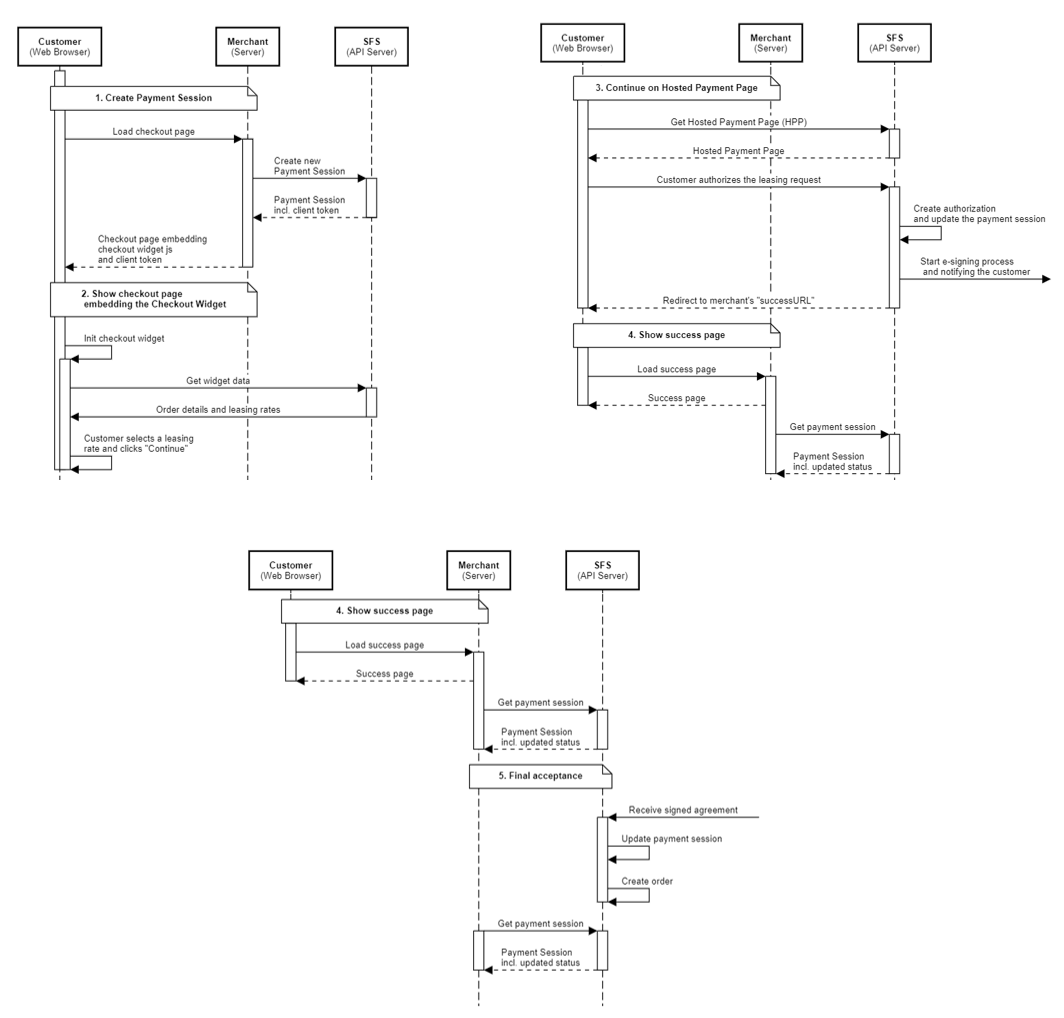
Integrate with our Payment Session REST API to create a Payment Session and then use the returned client token to display the widget. The widget will trigger the necessary calls to our backend and will support the customer providing an excellent customer experience.
If the customer wants to proceed with leasing, they will be transferred to our hosted payment page to complete the transaction.
Prerequisites
- Merchant profile set up - contact us to get this
- API client credentials in order to obtain a valid auth token for creating a payment session
Steps to integrate
- Create a payment session (on server side).
- Get the client token from the created payment session.
- Use the client token to display the widget using the JavaScript API.
- Customer selects a leasing option and clicks 'Continue' (on client side).